
Spring 2 2024 Program Registration begins April 15 at 9:00 am. Our Spring 2 program brochure is now available. Click the image or view online here. 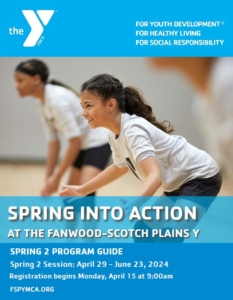
Spring 2 Session runs from April 29 – June 23 2024.
Register online below under Daxko Program Registration or in person at our Welcome Center. You need to be an active FSPY member to register for most programs. Join online now!
Registration for Summer 2024 Camp and Enrichment Programs is going on now. There are several new policies and processes for registration and membership. Visit our Summer Camp and Enrichment page or view the brochure for more information.
Here are some tips for how to register for summer camp and enrichments online.
PLEASE NOTE: There are limited spots available in Little Sprouts, Explorer, Discovery and Adventure camp weeks. If you are not a current FSPY member and would like to register for any of the above listed camps, please contact Katie Lizer at klizer@fspymca.org to check availability before joining the Y and registering for camp.
DAXKO PROGRAM REGISTRATION
You can log in to your Daxko account to register for all fee-based programs, as well as Adult Sports programs. View instructions for how to login to your online account and register for programs.
Want to register for programs, but are not a current Y member? Join our Y online here.
Please note: To complete your registrations once you have logged into your account, you will need to click “Register,” then review your registrations and click “Next.” Your registration will be complete when you get the message “Thank you for registering.”
To check your registrations:
• Log into your FSPY account at https://fspymca.org/account.
• On the right hand corner, click on “My Account” and then “Registrations.”
• All of your upcoming registrations will populate.
* If you have trouble logging into your account, you can click “Forgot your password?” to reset your account. (Enter your email address first, then on the page where you are asked to enter your password, click on the “Forgot your password” link).
If you need help registering, please call our Welcome Center at 908-889-8880, Monday through Friday from 5:00am-10:00pm and Saturday and Sunday from 7:00am-5:00pm.
ACUITY SCHEDULING
You can use Acuity Scheduling to register for group exercise classes, EGYM Onboarding, Teen Wellness and Adaptive Family Fitness Programs.
For written instructions on using the new system, click here, or watch this quick video tutorial.
Here are a few things to know about making reservations through Acuity Scheduling:
- You do not have to log into your Daxko account to register.
- You will receive a confirmation email after you register and a reminder email 24 hours before each of your appointments.
- You can cancel a reservation online up to two (2) hours before your scheduled appointment. Click on the “Change/Cancel Appointment” button in your confirmation or reminder email.
- You can register up to one (1) hour before your scheduled appointment if space is available or if someone else cancels their reservation.
- Reservations are on a first-come, first-served basis.
- Schedules for the next twenty (20) days will continuously be available on the hour. It is suggested that members frequently check back to see if more spots have opened.
- You can download an app version of Acuity Scheduling so you can easily schedule appointments from your mobile device. Visit the app store and search for “Acuity Scheduling Client” and download the app. Once the app is downloaded, you will be asked to enter a business url. You can enter: fspymca.as.me and you can start using the app to make your reservations.
- You also can link directly to our new Acuity Scheduling page at fspymca.as.me
If you need help registering, please call our Welcome Center at 908-889-8880, Monday through Friday from 5:00am-10:00pm and Saturday and Sunday from 7:00am-5:00pm.
If you have any questions, or need additional help, please email membership@fspymca.org.